Using devices as sources
To use your device as a source in a room simulation, define a device source using treble.Source.make_device.
This requires you to specify the following:
location: Coordinates within the room where the device is placed. The placement is relative to the coordinate system origin in your device geometry.orientation: Atreble.Rotation, or a point (such as aPoint3dor aReceiver) for the device to face.label: A short label for this source.device: The device object.
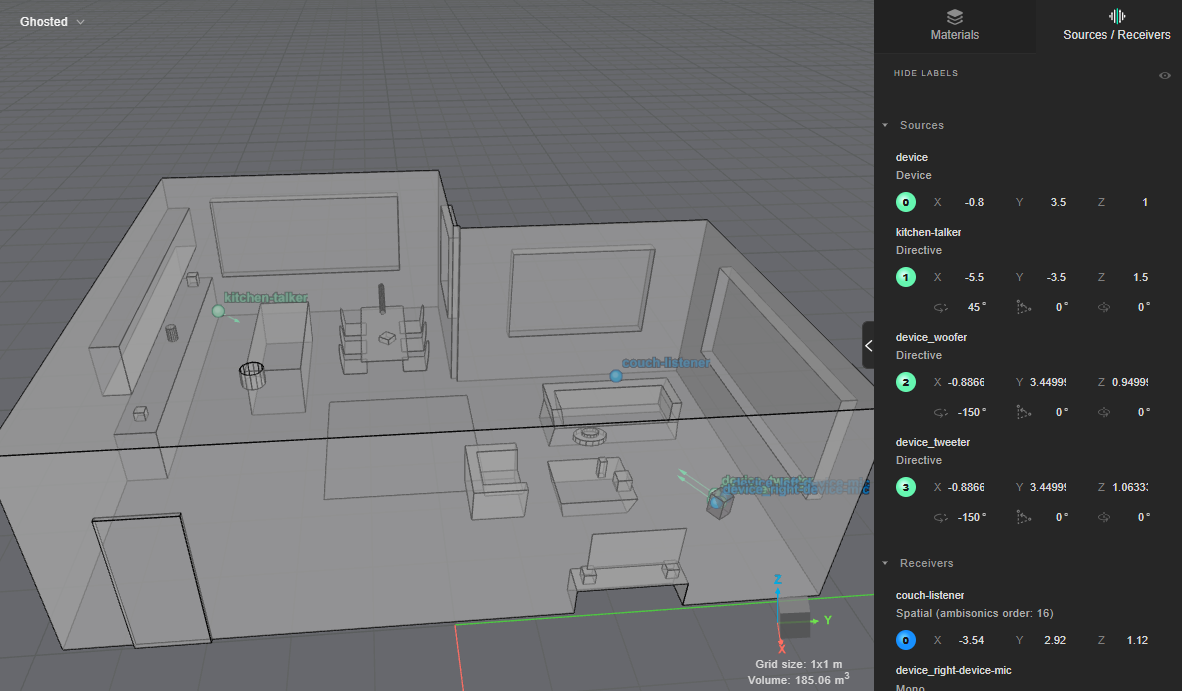
Here, we place the loudspeaker in the corner of a room, turned to face the couch:
device_source = treble.Source.make_device(
    location=treble.Point3d(x=-0.8, y=3.5, z=1.0),
    orientation=treble.Rotation(azimuth=210),
    label="device",
    device=device,
)
You may then initialize a SimulationDefinition using any combination of receivers;
here we choose a single spatial receiver for a listener on the couch:
# Place a single spatial receiver on the couch
receiver = treble.Receiver.make_spatial(
    treble.Point3d(x=-3.54, y=2.92, z=1.12), "couch-listener", ambisonics_order=16
)

# Place an additional source in the room: a person talking in the kitchen
speech_directivity = tsdk.source_directivity_library.get_by_name("Speech")
other_source = treble.Source.make_directive(
    location=treble.Point3d(x=-5.5, y=-3.5, z=1.5),
    orientation=treble.Rotation(azimuth=45),
    label="kitchen-talker",
    source_directivity=speech_directivity,
)

# Wrap the simulation parameters in a simulation definition
sim_def = treble.SimulationDefinition(
    name="device-source-simulation",
    model=model,
    receiver_list=[receiver],
    source_list=[device_source, other_source],
    simulation_type=treble.SimulationType.hybrid,
    material_assignment=material_assignment,
    crossover_frequency=710,
    ir_length=0.6,
)

# Inspect the simulation layout before starting it
sim_def.plot()
Once you are satisfied with your simulation layout, register and start the simulation:
# Fetch the simulation object if it exists, otherwise register and start the simulation
sim = project.get_simulation_by_name("device-source-simulation")
if sim is None:
    sim = project.add_simulation(sim_def)
    sim.start()
sim.as_live_progress()
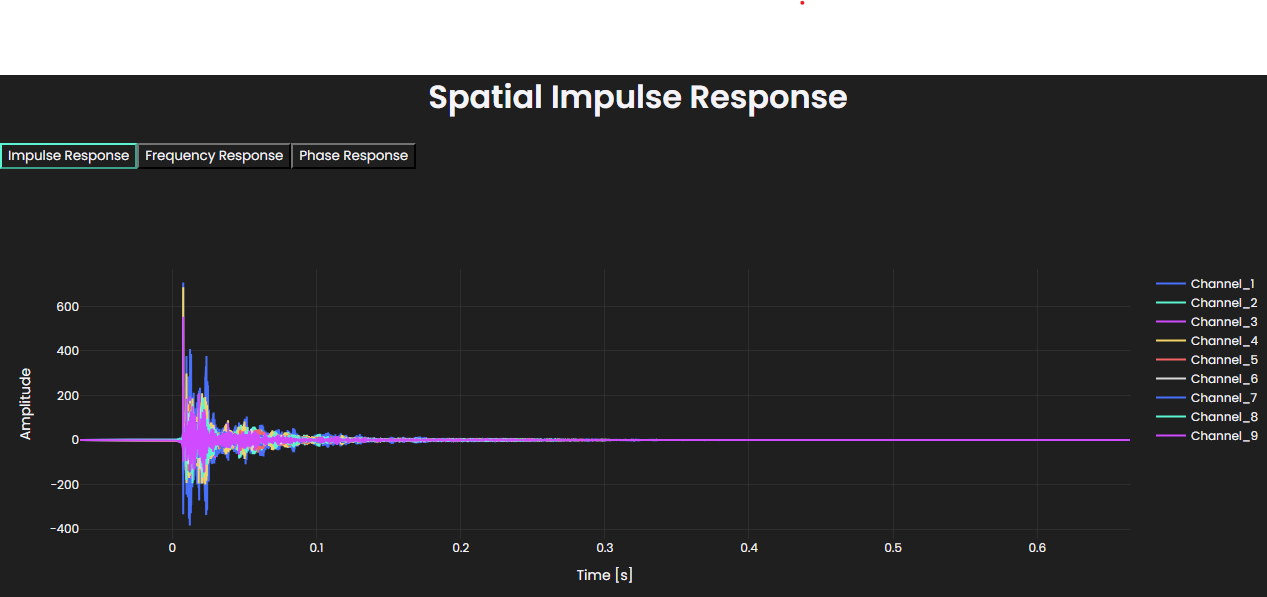
Results are stored separately per source layer. By default, fetching the results of a device source sums all its source layers; to retrieve and inspect a single layer, provide the layer name:
# Fetch the results wrapper for the whole simulation
results = sim.get_results_object()

# Fetch the summed response of all source layers
spatial_ir = results.get_spatial_ir("device", "couch-listener")

# Fetch results for each source layer separately
spatial_ir_woofer = results.get_spatial_ir("device", "couch-listener", source_layer="woofer")
spatial_ir_tweeter = results.get_spatial_ir("device", "couch-listener", source_layer="tweeter")

spatial_ir.plot()
If you did not specify source filters as part of the device definition, you can apply them and combine the device signals post-hoc at the spatial IR level:
lp = treble.ButterworthFilter(lp_order=4, lp_frequency=2000)
hp = treble.ButterworthFilter(hp_order=4, hp_frequency=2000)

combined_spatial_ir = spatial_ir_woofer.filter(lp) + spatial_ir_tweeter.filter(hp)
By default, the response of a device source is referenced to 1 m/s velocity of the membrane in the passband of the simulation. Reference filters recalibrate the source so that its response is referenced to the pressure at a chosen position instead.
The device object features methods to extract a filter for referencing either the on-axis
response or any of the reference microphones that were specified in the device simulation.
The source index follows the order of the source layers in the device simulation, so here 0 is the woofer.
ref_mic_reference_filter = device.get_reference_mic_reference_filter(
    source_index=0, mic_label="ref-mic-woofer"
)
on_axis_reference_filter = device.get_on_axis_reference_filter(source_index=0)

spatial_ir_referenced = spatial_ir_woofer.filter(on_axis_reference_filter)