Mannequin library
The mannequin library is a set of heads you can put your device on in the device import widget. Glasses or earbuds sound different on a head than in free air, so with a mannequin the simulation includes what the head does to the device's mics and speakers.
Each mannequin is a closed mesh of a measured head and neck that passes the geometry check at the default settings.
There are four, all from open datasets with a CC BY license.
| Mannequin | What it is | Source | Good for |
|---|---|---|---|
| PP4 | Scan of a human head and neck | HUTUBS database, TU Berlin | Large ears that stand 25 mm off the head |
| PP69 | Scan of a human head and neck | HUTUBS database, TU Berlin | Testing the fit on a second human face |
| FABIAN | The head of the FABIAN head and torso simulator, with molded ears | FABIAN HRTF database, TU Berlin | Comparing with published FABIAN measurements |
| RWTH | Scan of an adult's head, with the face smoothed for anonymity | IHTA, RWTH Aachen University | A third face shape with smaller ears |
All four are cut at the neck the same way, so only the head differs.
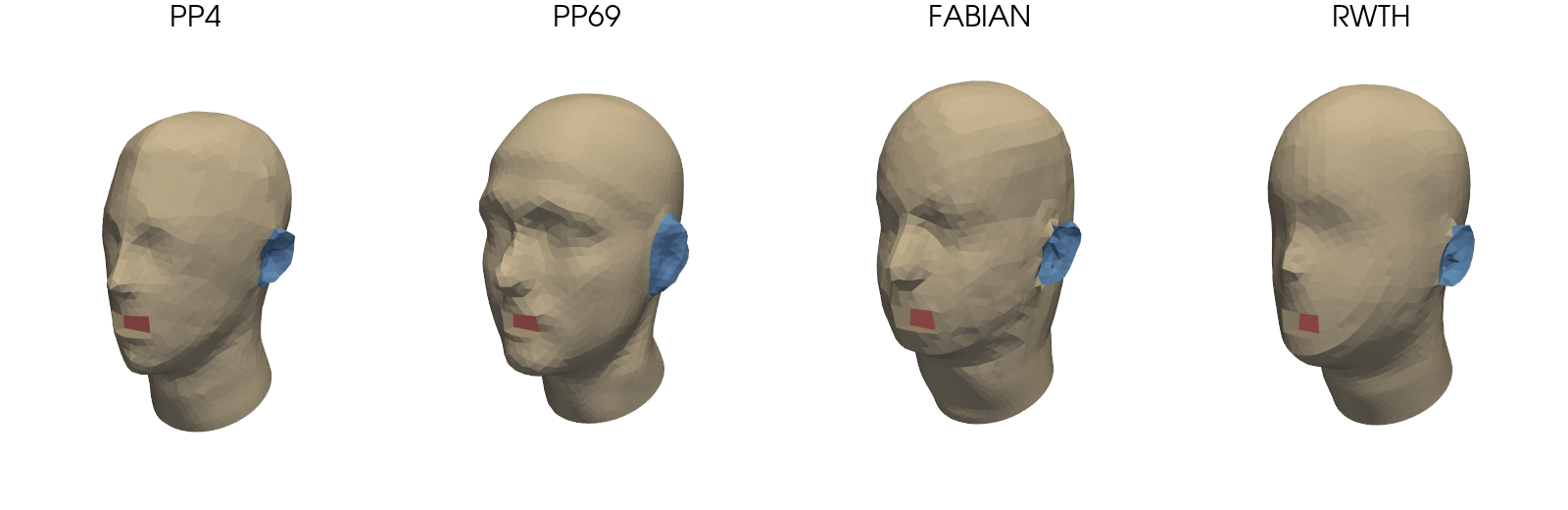
Each one comes as Bare, Hat or Cap, with the same layers in every file.
Basic examples
Import a mannequin
Open the device import widget for a project:
from treble_tsdk import treble
from treble_tsdk.device import start_device_model_import

tsdk = treble.TSDK()
project = tsdk.get_or_create_project(name="<project_name>")
start_device_model_import(project)
-
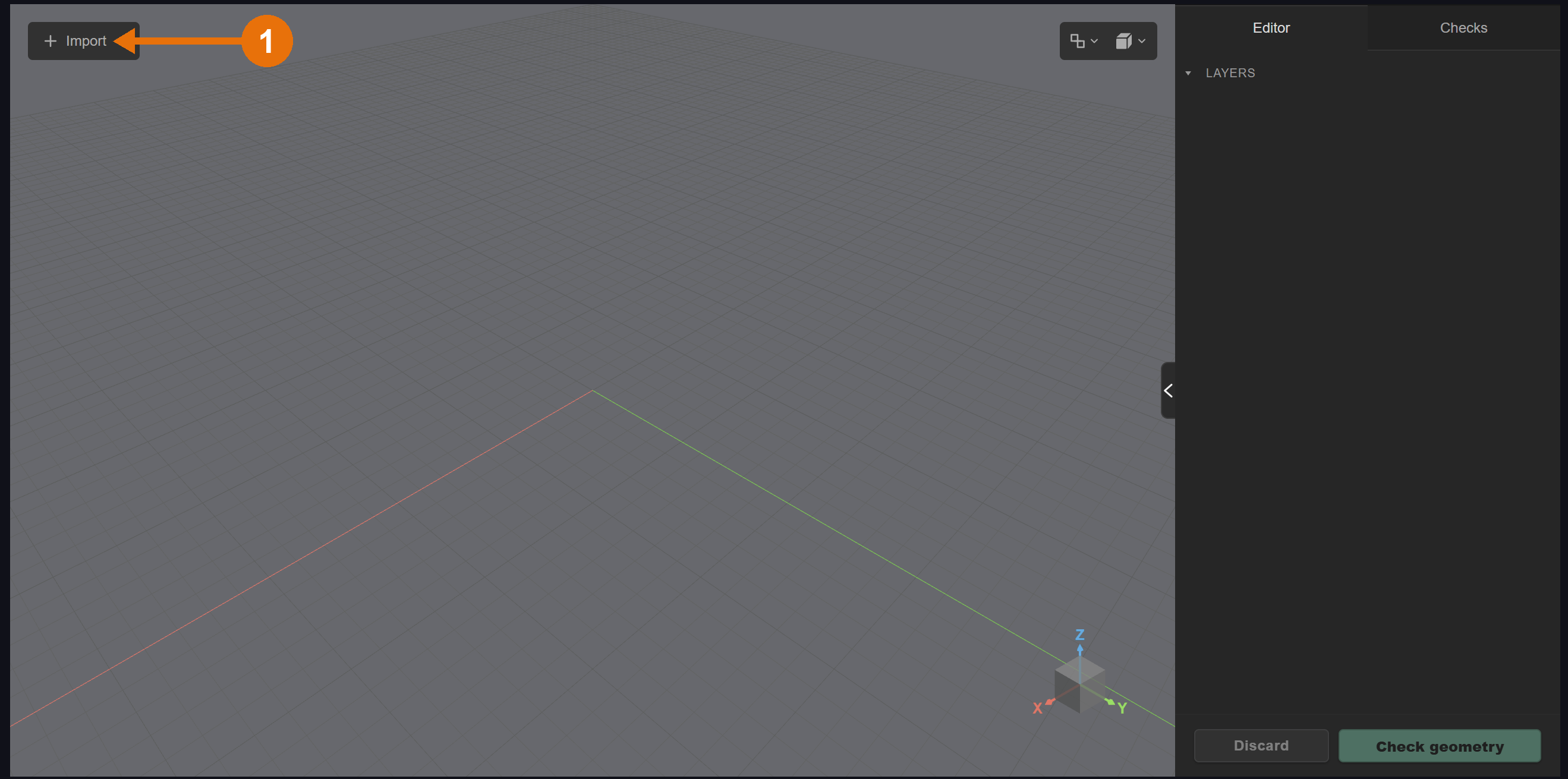
In the widget, click Import, then Import mannequin.
-
Choose a head under Mannequin model and a Head variation: Bare, Hat or Cap.
-
Click Import.
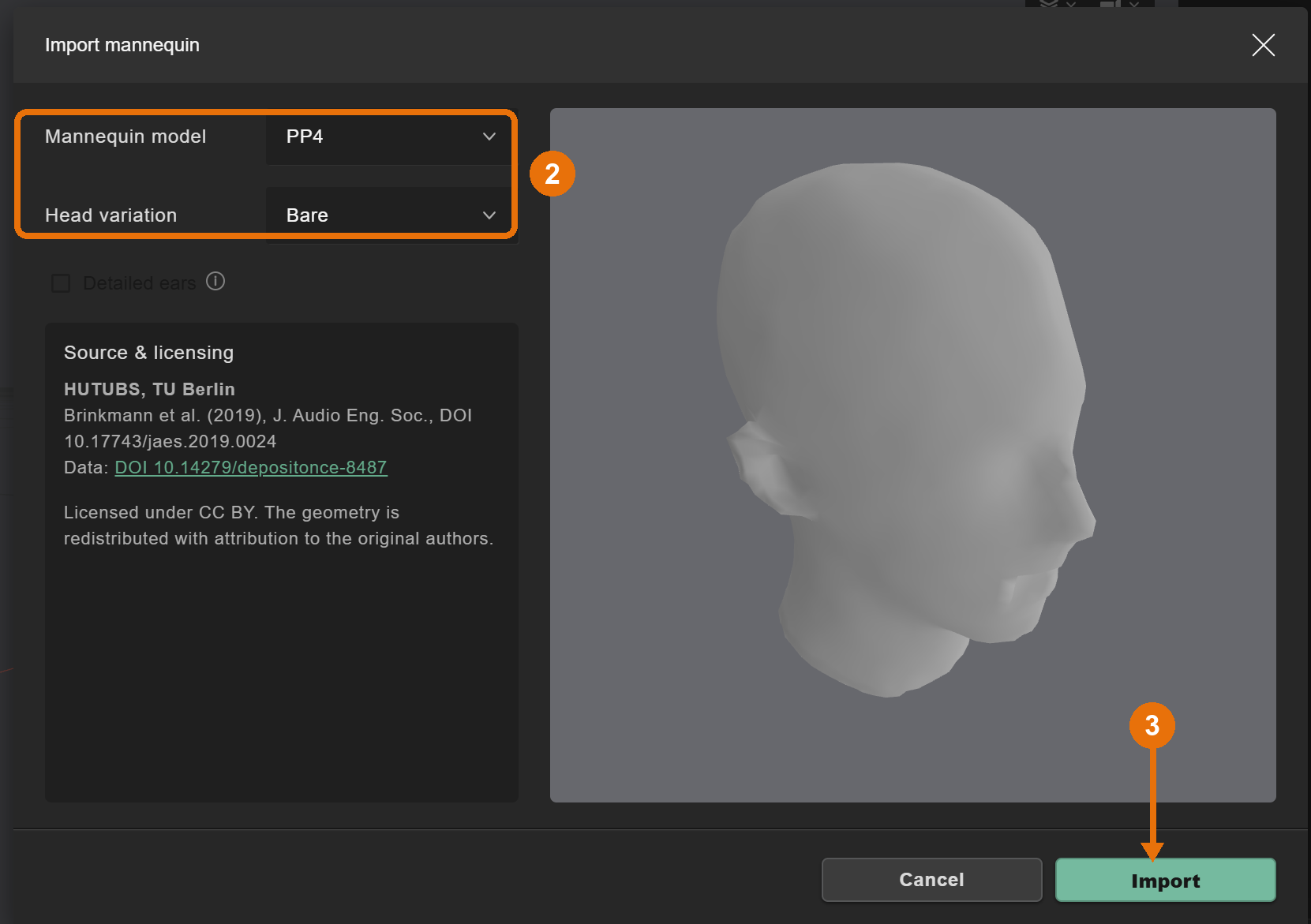
The mannequin shows up as a new assembly with its layers. To use your own mannequin instead, import it with Import file like any other geometry.
Place a device on a mannequin
Import your device with Import file and drag the device assembly onto the head with the gizmo. For glasses, rest the inside of the bridge on both sides of the nose and the temple arms on top of the ears, about 3 mm into the skin.
Check the device on a mannequin
Click Check geometry, leave the defaults and click Run check. Glasses resting on a head score 3 % to 6 %, lower still runs, it just costs more. The full walkthrough is in Smart glasses on a mannequin.
A device that floats off the head is a separate shell. With Include external faces off, the check drops it without a warning and scores the head alone. Look at Layers in the check result and make sure your device layer is listed.
If the result looks right, click Add to project. The device and the mannequin get saved together as one device model.
Advanced examples
Use your own head model
You can also bring your own head with Import file. To compare it with the library, prepare it the same way:
- one closed mesh, no holes or loose parts
- even triangles around 8 mm, no narrow triangles
- the back of the mouth on its own layer, like
Mouth, so you can use it as the sound source in the simulation
Library reference
Head variations
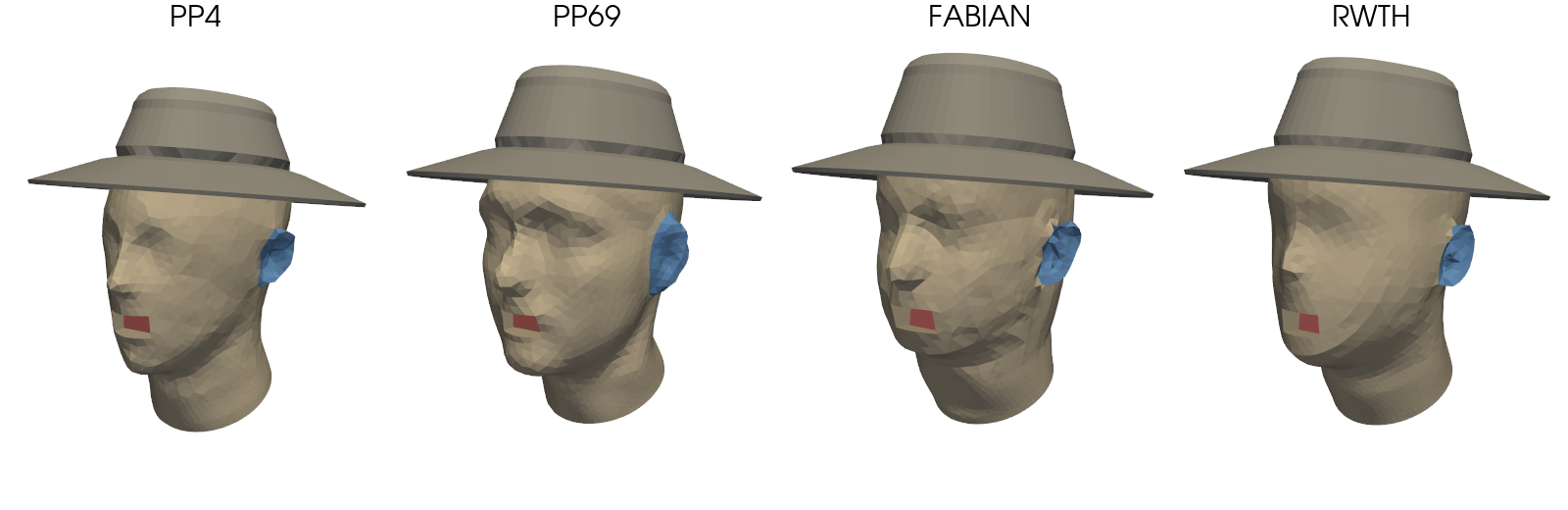
Use these to see how headwear changes the result. Bare is the head as measured. The hat and cap sit on the same head, each on an extra layer.
Hat
A hat tilted slightly back, on the Hat layer.
Cap
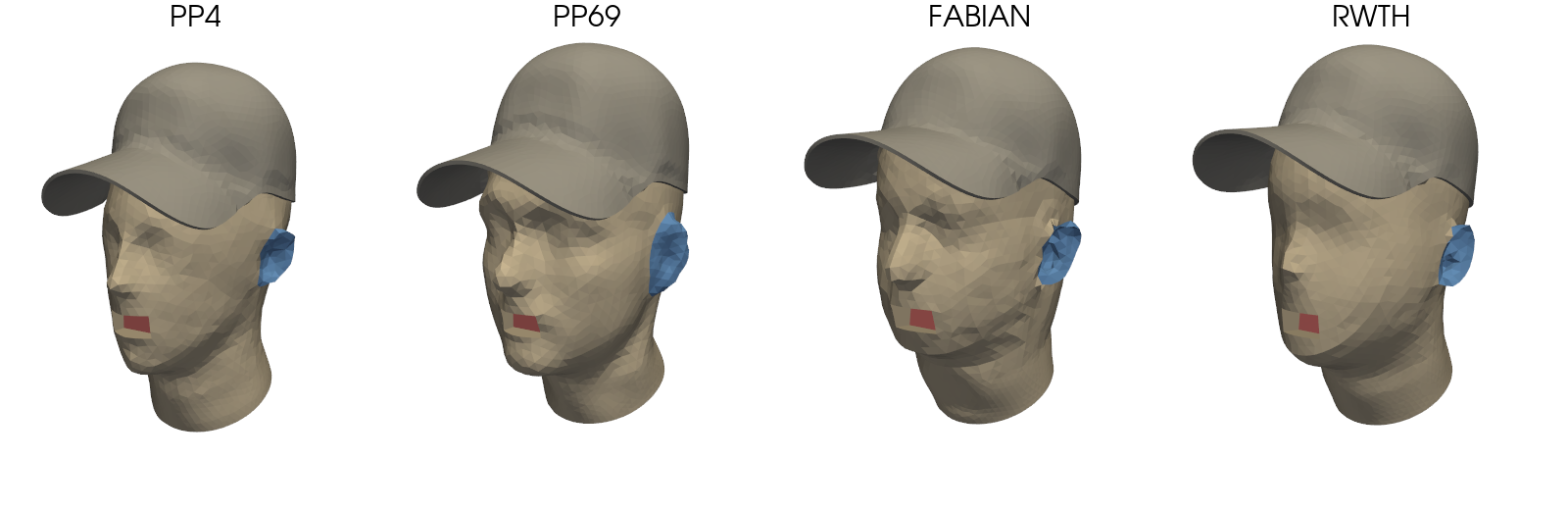
A baseball cap with the bill forward, on the Cap layer.
Layers
Every mannequin has the same three mesh layers, plus Hat or Cap in those variations.
| Layer | Content |
|---|---|
Mannequin | The head and neck, except the ears |
Ears | Both outer ears (pinnae), including the concha and the helix rim |
Mouth | A small flat surface at the back of the mouth opening, about 25 mm behind the face |
Use the Mouth layer as the source for the wearer's own voice.
Attribution
We redistribute the mannequins under the CC BY 4.0 license with attribution to the original authors. We remeshed and reoriented the original meshes, cut them at the neck and cut the mouth opening. We also added the hats and caps. If you publish results that use the mannequins, cite the source:
- PP4 and PP69: HUTUBS database, TU Berlin. Brinkmann et al. (2019), J. Audio Eng. Soc., DOI 10.17743/jaes.2019.0024. Data: DOI 10.14279/depositonce-8487.
- FABIAN: FABIAN head-related transfer function database, TU Berlin. Brinkmann et al. (2017), J. Audio Eng. Soc., DOI 10.17743/jaes.2017.0033. Data: DOI 10.14279/depositonce-5718.5.
- RWTH: Braren and Fels (2020), Institute for Hearing Technology and Acoustics (IHTA), RWTH Aachen University. DOI 10.18154/RWTH-2020-06760.