Fetching Results
When your simulation completes, the SDK provides several ways to access the
results. The Results class serves as the main interface for retrieving impulse
responses, acoustic parameters, and exporting data
Once a simulation has completed, you can access its results using the
get_results_object() method.
This method supports two result-loading modes:
- Lazy loading: If
results_directoryis not provided, the SDK downloads result data only when each IR is accessed. The downloaded data is stored temporarily in the local SDK cache. - Local directory loading or download: If
results_directoryis provided, results are downloaded to that path. The SDK creates the directory if it doesn't already exist. If the directory already contains results, the SDK loads them from there instead.
Basic examples
Lazy loading
Download results on demand without downloading the full dataset upfront. The SDK fetches data per-IR as you request it and caches it locally in the SDK Cache for reuse between sessions:
# Lazy results object, downloads on IR access
results = simulation.get_results_object()

# Access by source/receiver instance
ir = results.get_mono_ir(simulation.sources[0], simulation.receivers[0])
This is the recommended default when you don’t need the full dataset upfront.
Download results to a local directory
Download the full result set to a specific directory. Use project.download_results() to download all completed simulations at once — results are written to subfolders named after their simulation IDs:
# Download results from a single simulation
results = simulation.get_results_object(
    results_directory="results/my_simulation",
)

# Download all results from a project
project.download_results(
    "results/",
)
The SDK names result files after source IDs by default. Supply ResultRenameRule.by_label to use human-readable source labels instead.
Load results from an existing local directory
If you have already downloaded results, pass the existing directory to simulation.get_results_object() to load them without re-downloading:
# Load from existing directory (skips download)
results = simulation.get_results_object(
    results_directory="results/my_simulation",
)
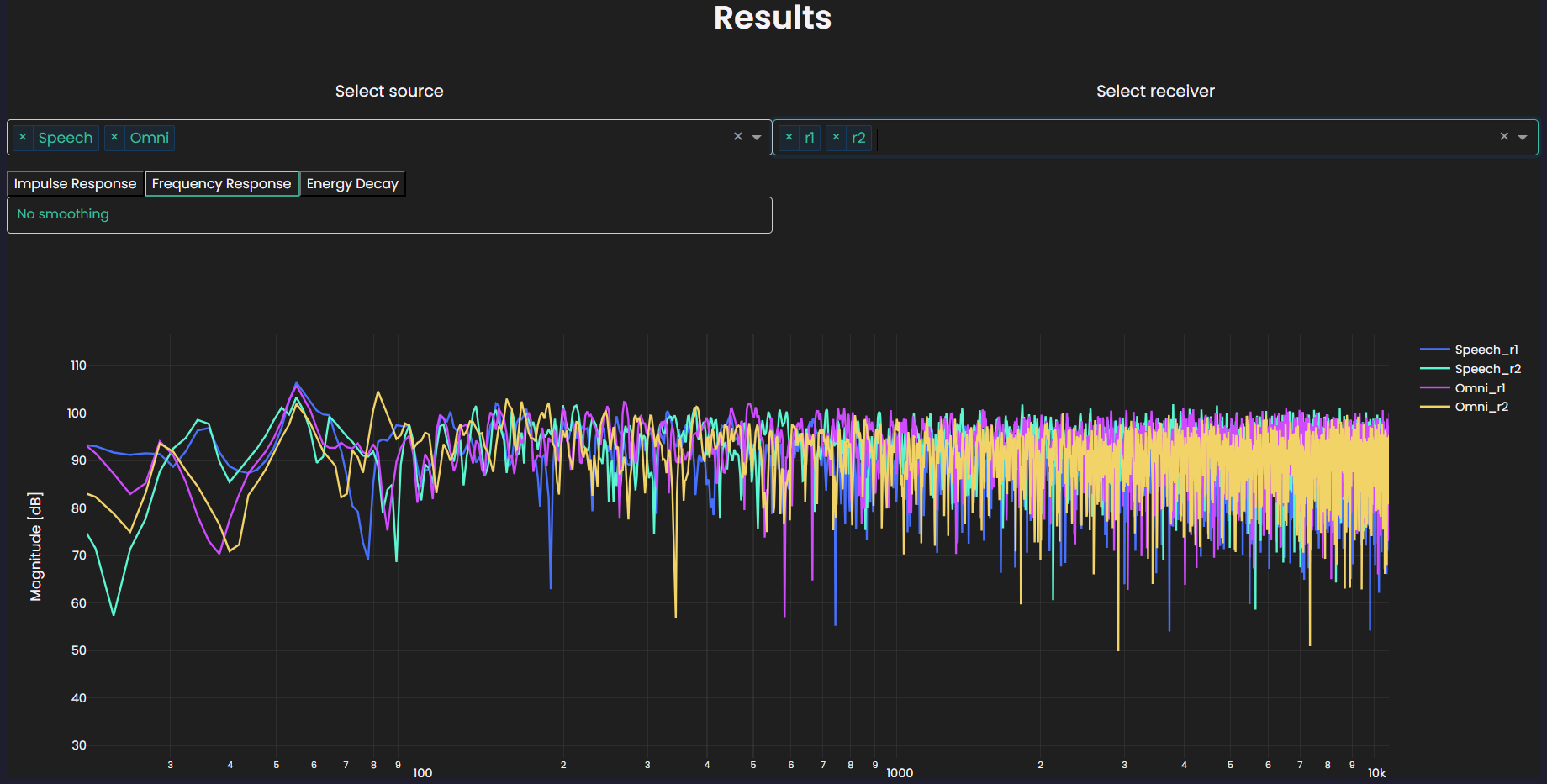
Use the interactive plotting widget
Explore all source-receiver pairs at once with the interactive widget:
results.plot()
The plot displays an interactive widget:
Retrieve impulse responses
The Results class provides methods to retrieve different IR types for
source-receiver pairs. Pass source and receiver as labels,
IDs, or object instances from simulation.sources / simulation.receivers:
# Pass source/receiver as labels, IDs, or object instances
mono_ir = results.get_mono_ir(
    source="<source_label>",
    receiver="<mono_receiver_label>",
)
mono_ir = results.get_mono_ir(
    source="<source_id>",
    receiver="<receiver_id>",
)
mono_ir = results.get_mono_ir(
    source=simulation.sources[0],
    receiver=simulation.receivers[0],
)

# Spatial IR: multi-channel ambisonics, spatial receivers only
spatial_ir = results.get_spatial_ir(
    source="<source_label>",
    receiver="<spatial_receiver_label>",
)

# Moving IR: for simulations with moving sources/receivers
moving_ir = results.get_moving_ir(
    source="<source_label>",
    receiver="<moving_receiver_label>",
)
Each method returns an IR container object with type-specific properties and methods. See IR containers for details on accessing data, exporting, and processing individual IR types.
Advanced examples
Loop through all source-receiver combinations in a simulation
The following example retrieves the results object for a completed simulation and iterates over every source-receiver pair. For each receiver, it checks the receiver type and fetches the corresponding mono or spatial IR.
from itertools import product

simulation = project.get_simulation("<simulation_name>")
results = simulation.get_results_object()

for src, rec in product(simulation.sources, simulation.receivers):
    if rec.receiver_type is treble.ReceiverType.mono:
        this_ir = results.get_mono_ir(src, rec)

    elif rec.receiver_type is treble.ReceiverType.spatial:
        this_ir = results.get_spatial_ir(src, rec)

    # Some downstream usage of the IR
    ...