How IFC elements are simplified
Overview
When an IFC file is imported into Treble, a simplification algorithm processes the building elements to reduce geometric complexity while preserving the features that matter for acoustic simulation. The goal is to remove fine details that have negligible impact on sound propagation (such as intricate furniture profiles or decorative mouldings) while retaining the surfaces that define the acoustic space and significantly affect reflections.
For a full walkthrough of the IFC import process, see Importing IFC files. The simplification described on this page occurs during the Simplification of the input stage.
The simplification is applied automatically during the IFC import process. No user configuration is required. The algorithm uses the IFC class of each element to determine the appropriate simplification strategy.
Excluded elements
Before simplification begins, the following IFC classes are removed from the geometry as they do not contribute to the acoustic model:
| IFC class | Reason for exclusion |
|---|---|
IfcRailing | Railings are typically thin, open structures with negligible acoustic contribution. |
IfcSite | Site geometry (terrain, landscaping, external features) is not relevant to interior acoustic simulation. |
IfcGeographicElement | Geographic elements (similar to IfcSite) are not relevant to interior acoustics. |
IfcFlowTerminal | Flow terminals (drains, faucets, pipes, etc.) are not acoustically relevant and are often very geometrically detailed. |
IfcBuildingElementProxy with Planting property | Proxy elements classified as planting (e.g. trees) are excluded as vegetation is not relevant to interior acoustics. |
Recognised IFC classes
The simplification algorithm specifically recognises the following IFC classes and applies class-specific processing:
| IFC class | Category |
|---|---|
IfcDoor | Doors |
IfcWindow | Windows |
IfcFurnishingElement, IfcFurniture, IfcSystemFurnitureElement | Furniture and fittings |
IfcSpace | Space definitions (rooms) |
IfcBuildingElementProxy | Proxy elements (unclassified) |
All other IFC classes (e.g. IfcWall, IfcSlab, IfcRoof, IfcColumn, IfcBeam, IfcStair) are imported as building elements without class-specific simplification. They receive only the general simplification described below.
If none of the building element classes are found in the file, a warning is displayed. Files containing only IfcBuildingElementProxy elements are still imported, but without class-specific simplification — see special cases below.
Simplification by element category
Doors and windows
Applies to: IfcDoor, IfcWindow
Doors and windows receive special treatment to remove unnecessary detail while preserving the acoustic boundary. Unless the element is thicker than 0.4 m, it is replaced by a flat plane. This removes mouldings, handles, glass panel subdivisions, and other fine details that have negligible acoustic impact, while retaining the surface that defines the opening between spaces.
Elements thicker than 0.4m receive the general simplification below.
Furniture and fittings
Applies to: IfcFurnishingElement, IfcFurniture, IfcSystemFurnitureElement
IfcFurniture and IfcSystemFurnitureElement are IFC4 classes; IfcFurnishingElement is the equivalent in earlier IFC versions. All three receive the same simplification treatment.
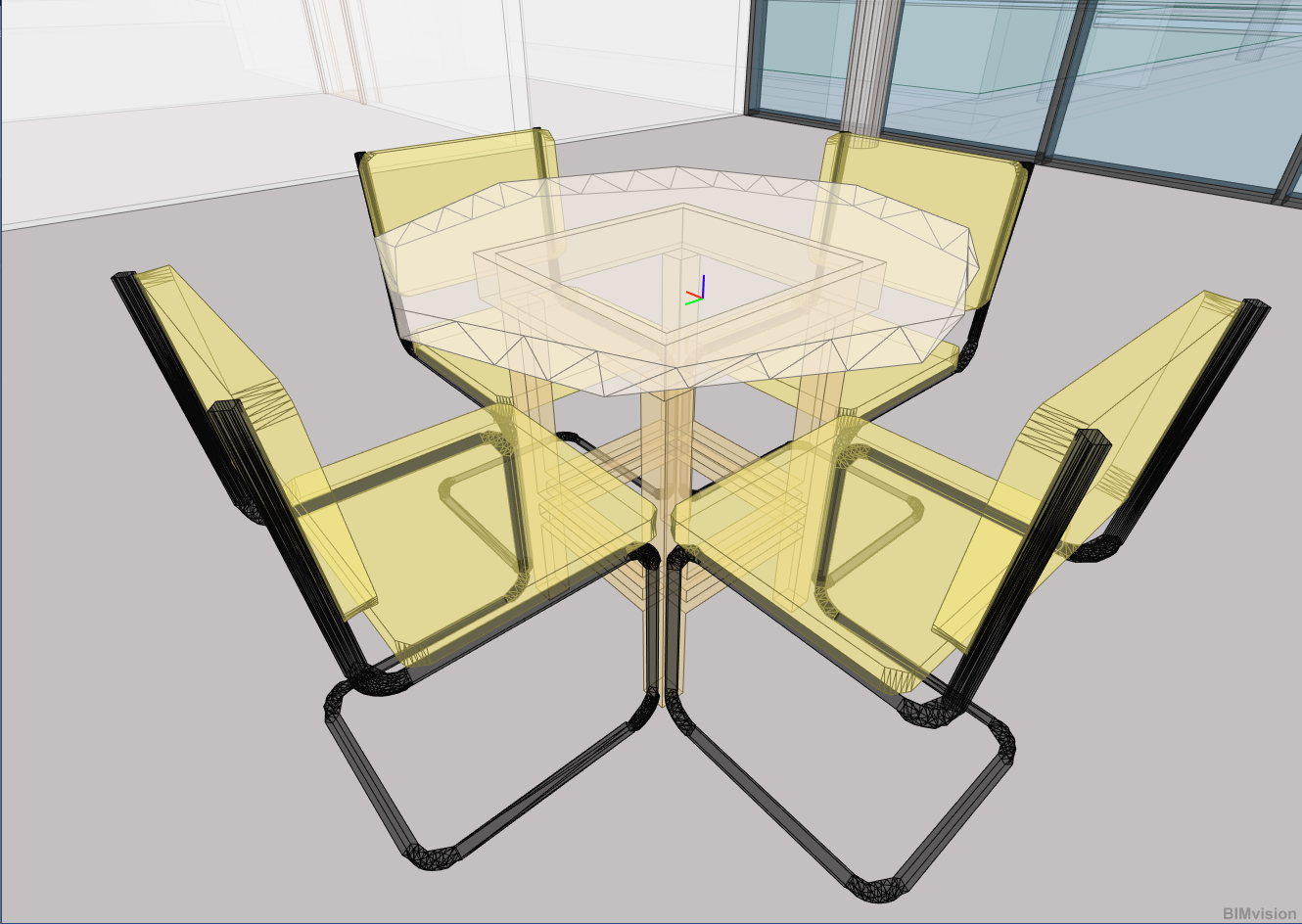
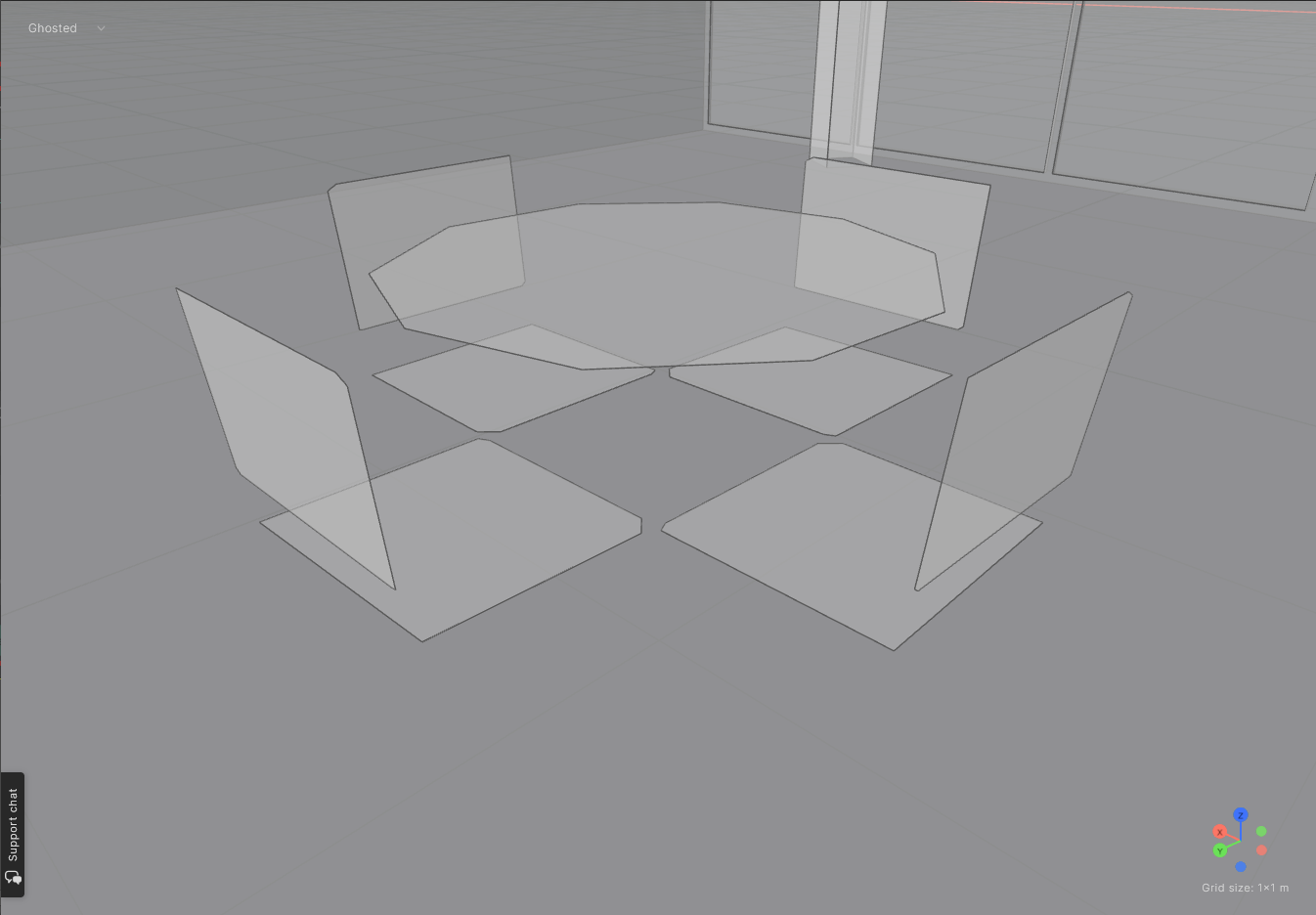
Furniture elements receive the most aggressive simplification, since fine details like chair legs, drawer handles, or decorative edges have a negligible effect on room acoustics. The simplification depends on the geometry of the element:
- Thin elements — objects thinner than approximately 5 cm are collapsed to a single flat surface, which is acoustically equivalent but much faster to simulate.
- 3D elements — thicker objects are replaced with a voxelised representation (a Lego-like simplification that removes fine details while preserving the overall volume and major surfaces).
The images below illustrate how furniture from an IFC file is simplified during import:
Space definitions
Applies to: IfcSpace
IfcSpace elements are primarily used for identification and naming of the enclosed volumes detected by the algorithm. If an IFC file contains IfcSpace definitions (e.g. from Revit room tags), the extracted spaces are named accordingly. If no IfcSpace definitions are present, the detected spaces will be unnamed.
If the model does not contain any closed spaces after the initial space search, the IfcSpace entities are converted into physical boundaries and a new space search is conducted. This fallback helps recover usable spaces from models where the building elements alone do not fully enclose the volumes.
General simplification
Elements having an IFC class not listed above (e.g. IfcWall, IfcSlab, IfcRoof, IfcColumn, IfcBeam, IfcPlate, IfcMember, IfcCovering, IfcStair, IfcRamp) or whose simplification was not successful are imported as building elements.
If a building element is complex enough (with regard to number of parts and density of detail) the following simplification flow is attempted - the first step to succeed determines the used simplification, if any:
- Replace with bounding box representation — if such approximation is close enough to the outside of the input element
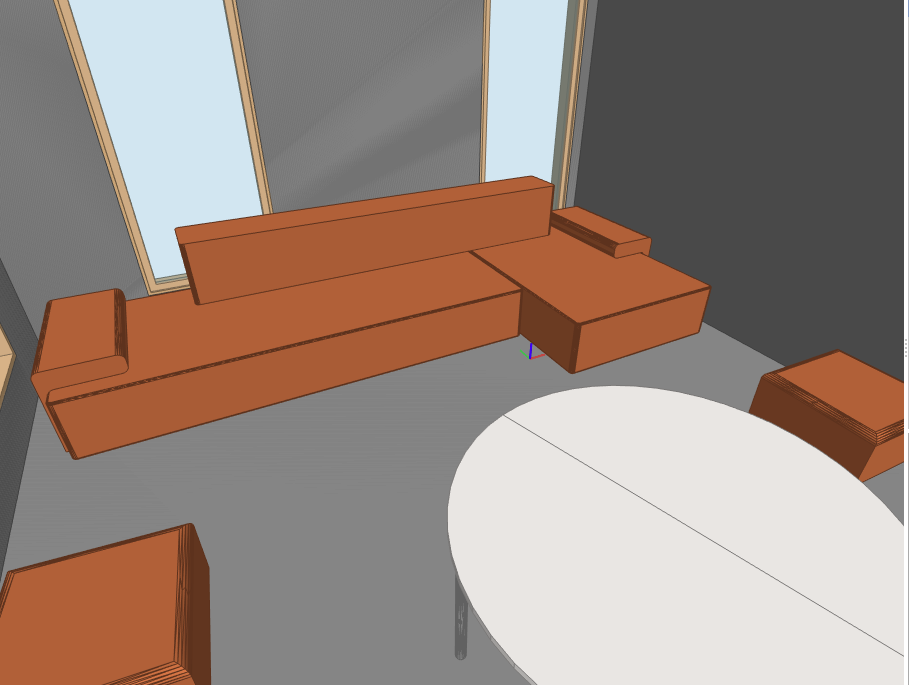
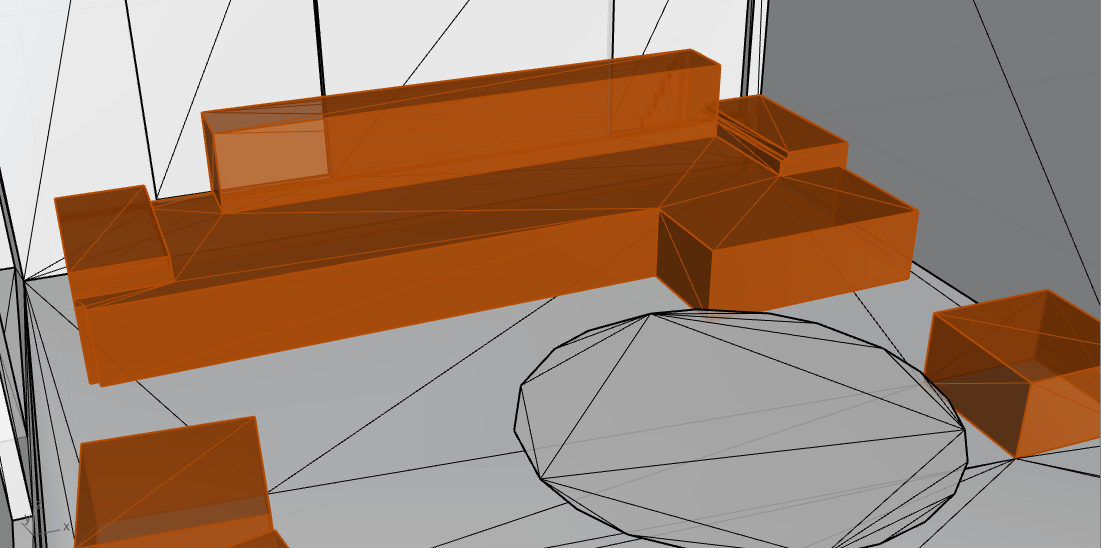
- Voxelise the element — furniture elements and
IfcBuildingElementProxyelements (less than 10 m long) that are 3-dimensional such as this sofa:
| Original sofa | Voxelised sofa |
|---|---|
 |  |
- Replace with primitive — element's parts that are almost planar (e.g. a wall panel with very slight curvature) or fitting in a box or prism are replaced by such primitive (a plane, a box or a prism), reducing face count without meaningfully changing the acoustic behaviour.
When exporting from Revit, using the Extra Low level-of-detail setting is recommended, as it limits the number of mesh faces for elements like stairs and ramps. See exporting IFC files from Revit for more detail.
Special case: proxy elements only
If the IFC file contains only IfcBuildingElementProxy elements and no proper building element classes, a warning is displayed. In this case:
- No class-specific simplification is applied, since the algorithm cannot determine the role of each element without proper IFC classification.
- All elements (including terrain, vegetation, and other potentially irrelevant objects) are imported as-is.
- The extracted spaces are unlikely to be suitable for wave-based acoustic simulation.
- No layer names will be available when assigning materials.
This typically happens when the IFC file was exported from a CAD tool (e.g. SketchUp) rather than a BIM tool (e.g. Revit or Archicad) that assigns proper IFC classifications.
The IFC Manager plugin for SketchUp provides a reliable way to export a valid IFC file with proper element classifications.
Mass volumes in BIM files are sometimes exported as IfcBuildingElementProxy. If large proxy elements are present (e.g. floor-level mass volumes), they can obstruct connections between floors and prevent spaces like staircases from being detected correctly. To avoid this, set the IfcExportAs parameter to "=DONTEXPORT" for mass elements in Revit before exporting. See the exporting guide for details.