Summing sources & source delay
Summing sources
In Treble you can sum multiple sources to calculate their combined impulse response and its derived acoustical parameters. Sources can be summed with and without source delay. The source summing process is initiated within the results view, after a simulation has been run. Meaning you don't have to decide in advance what sources you want to sum before running a simulation.
The wave based solver and image source method in Treble are pressure based and take phase information into account, both for the direct and reflected sound. You can therefore use Treble to analyze e.g. the constructive and deconstructive interference of correlated and uncorrelated sources when summing. Read more about the theory behind Treble's IR generation here and here.
When entering the results view you can find the source and receiver selector in the bottom left.
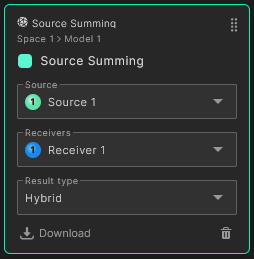
To sum multiple sources select the "Source" field. You will then get a list of all the sources in the simulation. Click on the "Sum multiple sources" button to select which sources to sum.
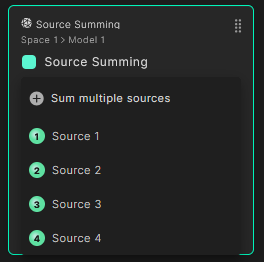
A pop-up with all the sources in the simulation will now open.
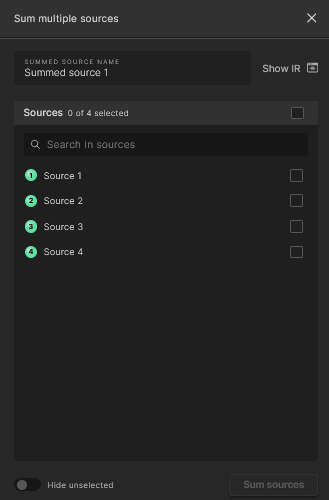
The pop-up has the following functionality:
- In the Summed Source Name field the name of the combined source can be edited
- In order to sum multiple sources, the respective checkboxes to the right of the sources' names have to be selected. You can also select the checkbox above the search field to select all sources
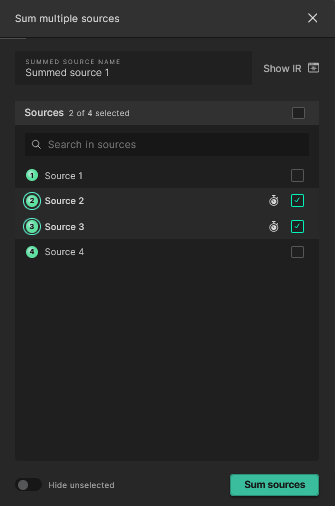
- If it's not required to add delay to the selected sources, the Sum sources button at the bottom of the pop-up can now be selected
Source delay
When assigning delay to sources the following additional steps can be taken:
- The Show IR icon wil extend the pop-up to display the IR's of the selected sources. Useful for aligning impulses when assigning delay.
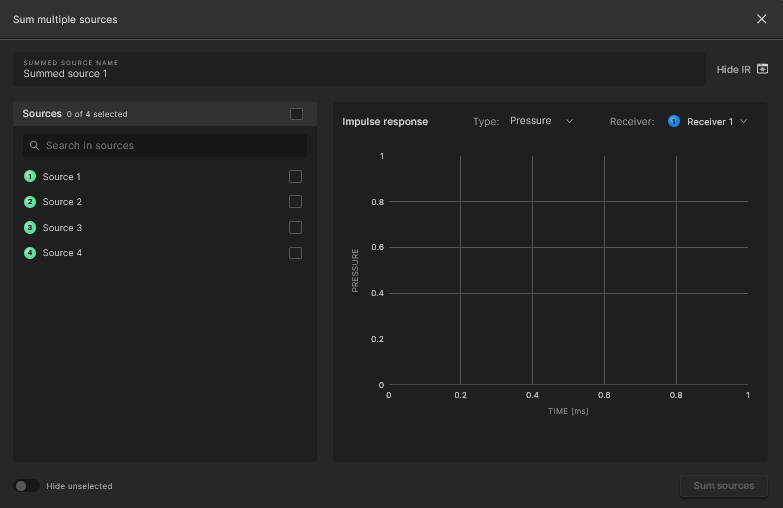
- The reference receiver can be changed in the top right of the graph
- When selecting the checkbox next to a source name, the respective IR will be displayed on the graph. Select the stopwatch icon next to the checkbox to add delay to the source
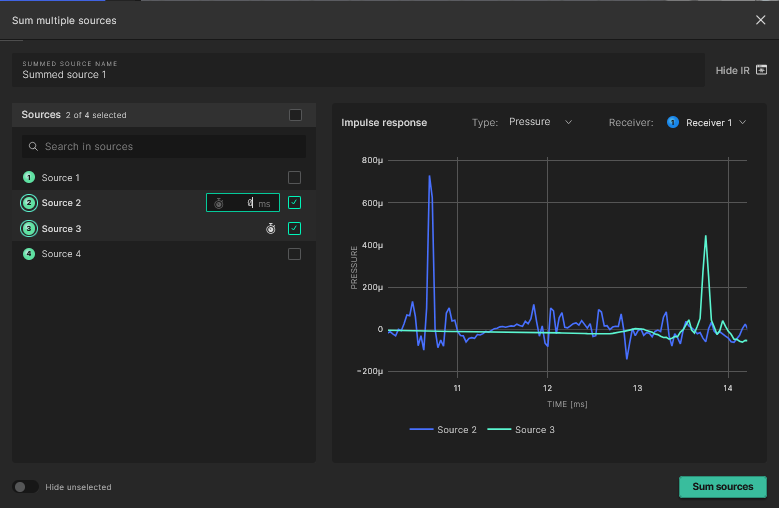
- Inputting the delay will update the graph for visual reference
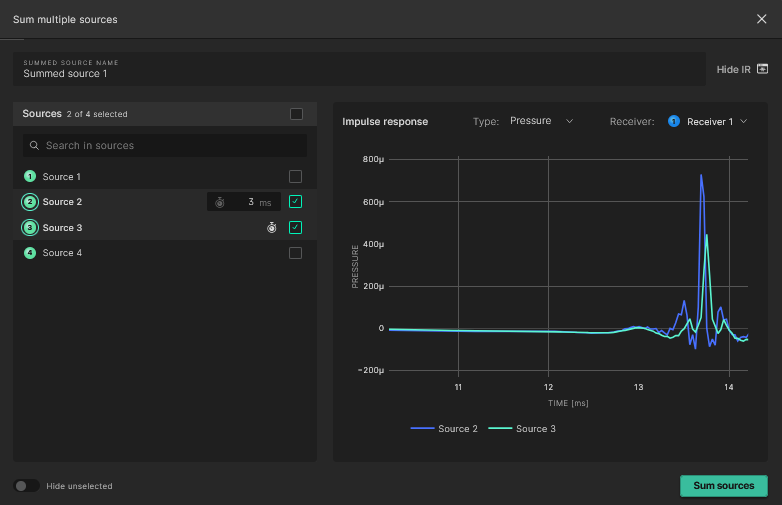
- At the end of the process, selecting Sum sources in the bottom right of the pop-up will sum all the chosen sources, with their respective delay settings.
You can do other tasks while the source summing process runs in the background.
Depending on the number of sources being summed, the length of the IR's and the number of receivers in the simulation, the process can take anywhere from a few seconds to a few minutes.
Working with summed sources
Once the summing process has concluded the new summed source will be visible under the "Summed sources" section in the source list.
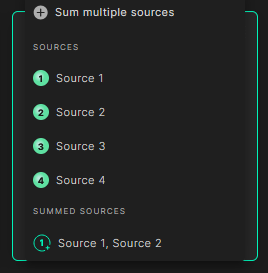
By selecting the summed source you can now analyze all the different acoustical parameters for the summed response. The summed source is now tied to the simulation and will always be accessible through the results view when visited again. It can also be edited or deleted by hovering over it and selecting the respective icon.
The G parameter is not calculated for a summed source as it by definition assumes an individual source with a fixed geometrical center.