Room database
The Treble SDK comes with a large database comprised of thousands of ready made room models, already optimized for acoustic simulations. To get an overview of the categories of models in the room database, run this command:
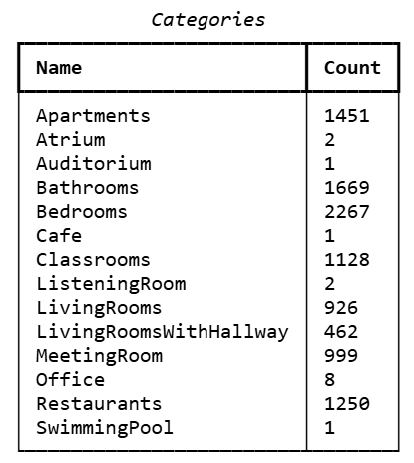
dd.as_table(tsdk.geometry_library.list_datasets_with_count())
This should give you a table of the categories with a count of the total number of models in each category. Treble autogenerates some categories using detailed instructions and example models, resulting in a high number of models. These categories include restaurants, apartments and meeting rooms. Other categories have been made manually and include a smaller number of models.
Basic examples
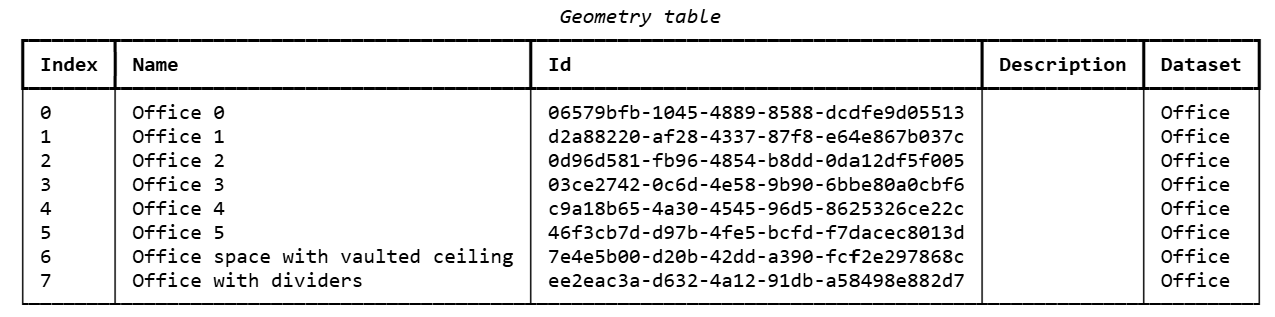
To access a category, copy its name into the get_dataset function and load it into a variable:
dd.as_table(tsdk.geometry_library.get_dataset("Office"))
Show model from a dataset
The following example loads all models into a variable, selects one, computes and prints the model volume, and plots the model:
restaurants = tsdk.geometry_library.get_dataset("Restaurants")
room_index = 4
restaurant = restaurants[room_index]
vol = restaurant._compute_model_volume()
print(f"Room volume = {vol:.02f} cubic meters [m3].")
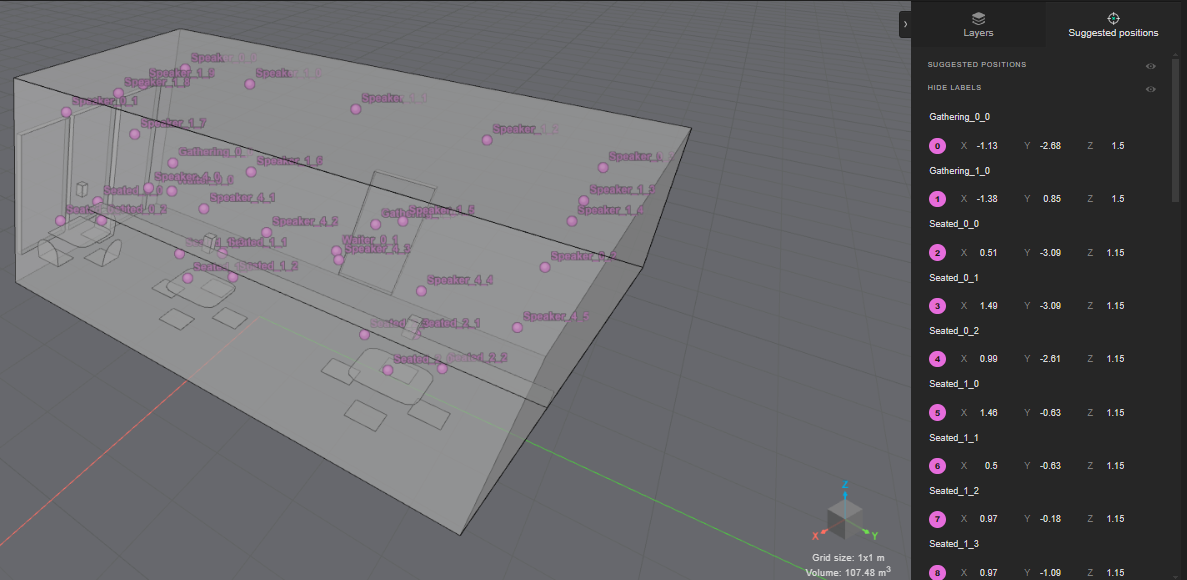
restaurant.plot()
Room volume = 99.05 cubic meters [m3].
List the model layers by running model.layer_names:
# example: model = restaurant
restaurant.layer_names
['Interior/Shelves',
 'Shell/Floor',
 'Interior/Tables',
 'Shell/Inner Walls/#3',
 'Shell/Outer Walls/#1',
 'Shell/Doors',
 'Shell/Inner Walls/#2',
 'Interior/Chairs',
 'Shell/Window Frames',
 'Interior/Lighting Fixtures',
 'Shell/Door Frames',
 'Shell/Inner Walls/#1',
 'Shell/Windows',
 'Shell/Ceiling/Flat']
Advanced examples
Suggested positions
Some of the rooms in the database come with a collection of suggested positions. These can be used to place receivers or sources at predefined locations, for example above a chair or other locations in the room. The following example uses the suggested points and selects specific indices to use as background noise sources:
receiver_index = 18
main_source_index = 17
noise_source_indexes = [0, 2, 7, 15, 27]


restaurant.position_suggestions[receiver_index]._position

receiver_list = []

receiver_list.append(
    treble.Receiver.make_spatial(
        position=restaurant.position_suggestions[receiver_index]._position,
        label="R1",
        ambisonics_sphere_radius_in_m=0.1,
    )
)


# get a mouth source from the loudspeaker library
speech_directivity = tsdk.source_directivity_library.query(name="speech")[0]

source_list = []
# make the main target source as speech directivity
source_list.append(
        treble.Source.make_directive(restaurant.position_suggestions[main_source_index]._position,
        orientation = treble.Rotation(180,0,0),
        label = "S0",
        source_directivity = speech_directivity
     ))

# make the noise sources as omni
for n in range(len(noise_source_indexes)):
    source_list.append(
        treble.Source.make_omni(restaurant.position_suggestions[noise_source_indexes[n]]._position,
        label = "S" + str(n+1),
     ))
You can then proceed setting up a simulation using the suggested positions.