Simulate a multi-driver loudspeaker
This tutorial covers a complete workflow for simulating a two-way loudspeaker with a woofer and a tweeter. You'll characterize each driver in a separate free-field simulation, store it as a boundary velocity submodel, and then use both drivers as sources in a room simulation. A crossover filter combines the results into a full-range impulse response.
Key steps:
- Prepare driver geometries: upload the woofer and tweeter CAD files and wrap them as free-field models.
- Run free-field simulations: simulate each driver's radiation pattern in free-field.
- Create boundary velocity submodels: store each driver as a reusable submodel in your organization's library.
- Set up room simulation: place both drivers in a room and configure sources, receivers, and materials.
- Run room simulations: run a wave-based simulation for the woofer and a GA simulation for the tweeter.
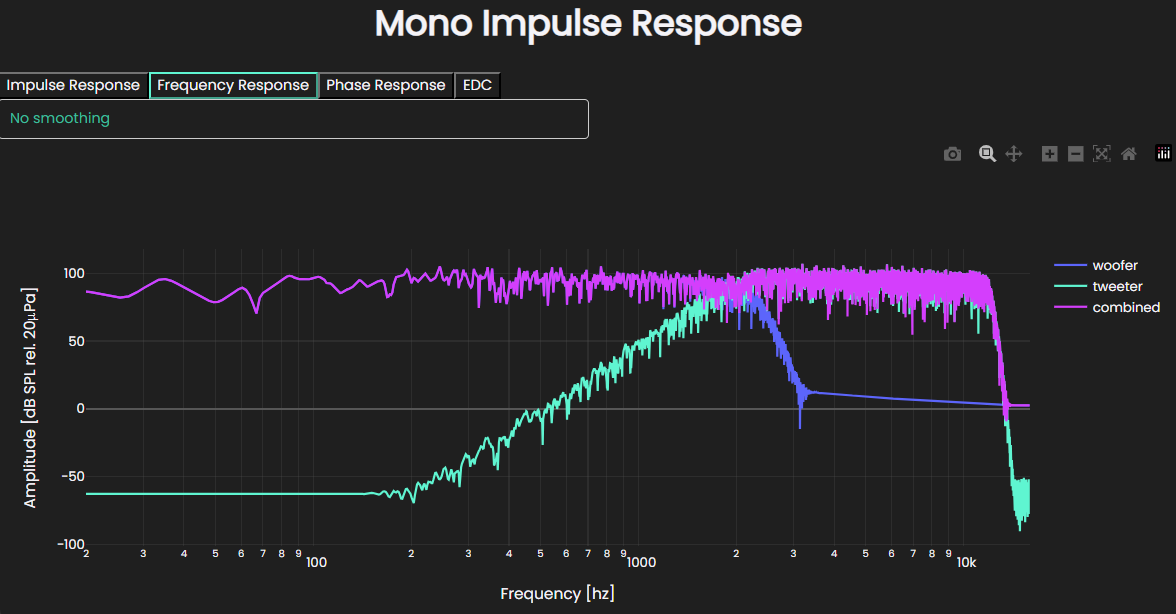
- Combine with crossover filtering: apply Butterworth filters to each driver and sum the impulse responses into a full-range result.
Prepare driver geometries
Initialize the SDK and create or retrieve a project:
from treble_tsdk import treble

tsdk = treble.TSDK()
project = tsdk.get_or_create_project('yamaha-h8')
Model all drivers relative to a common origin in your CAD file so each submodel can be placed in a room using the same location and orientation while keeping the enclosure geometries aligned.
Add each .3dm file as a free-field model directly:
from treble_tsdk import free_field as ff

if not project.get_model_by_name("woofer-free-field-model"):
    ff.add_free_field_model(
        project=project,
        name="woofer-free-field-model",
        geometry="<path_to_woofer_3dm>",
        sphere_geometry_radius=1.6,
    )

if not project.get_model_by_name("tweeter-free-field-model"):
    ff.add_free_field_model(
        project=project,
        name="tweeter-free-field-model",
        geometry="<path_to_tweeter_3dm>",
        sphere_geometry_radius=1.6,
    )

woofer_model = project.get_model_by_name("woofer-free-field-model")
tweeter_model = project.get_model_by_name("tweeter-free-field-model")
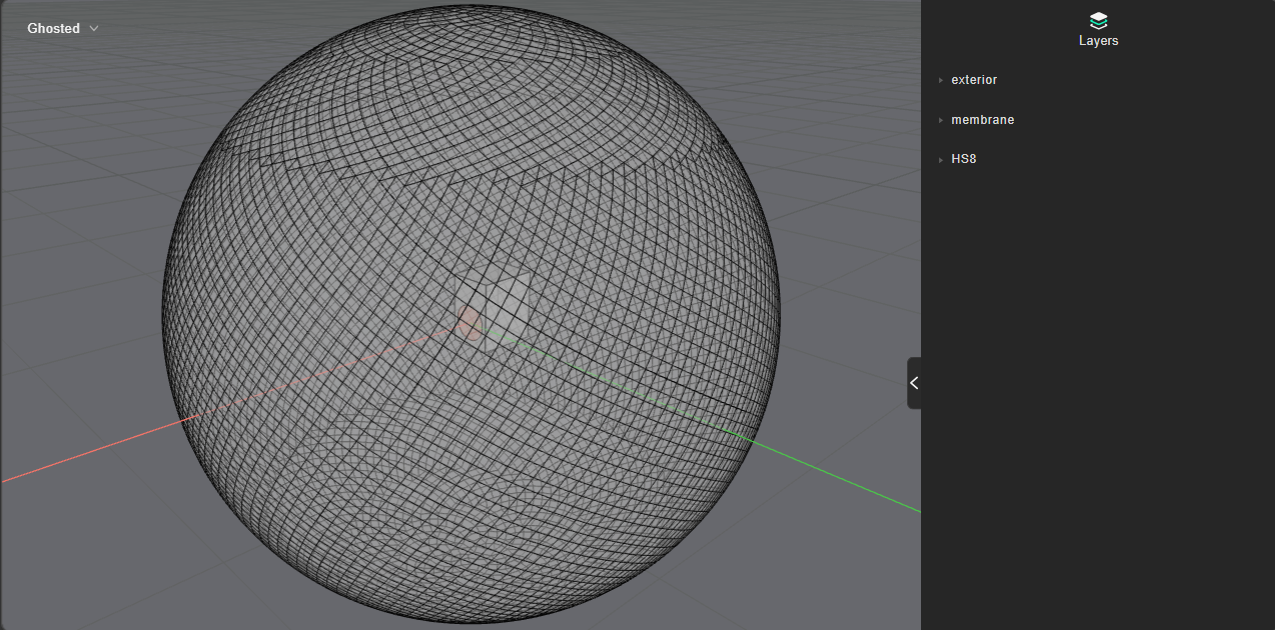
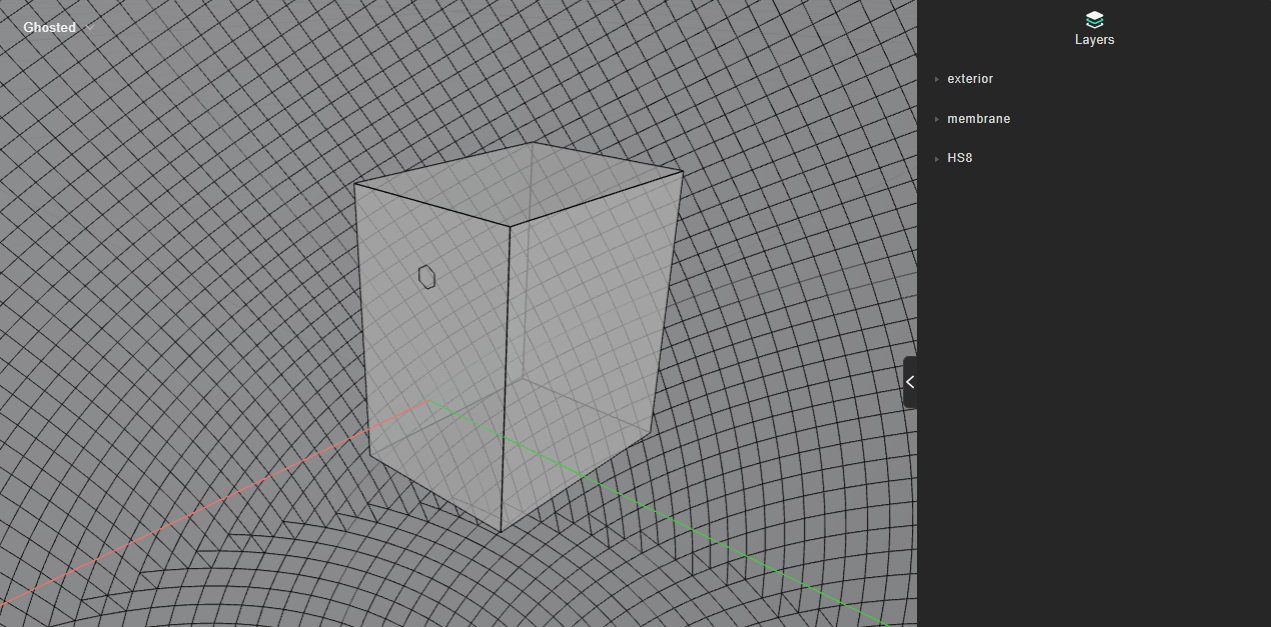
Verify each geometry before continuing:
woofer_model.plot()
tweeter_model.plot()
Run free-field simulations
Define a simulation per driver:
ff_simulation_defs = [
    ff.FreeFieldSimulationDefinition(
        "woofer-free-field",
        woofer_model,
        frequency=2_500,
        source_input="membrane",
    ),
    ff.FreeFieldSimulationDefinition(
        "tweeter-free-field",
        tweeter_model,
        frequency=11_000,
        source_input="membrane",
    ),
]
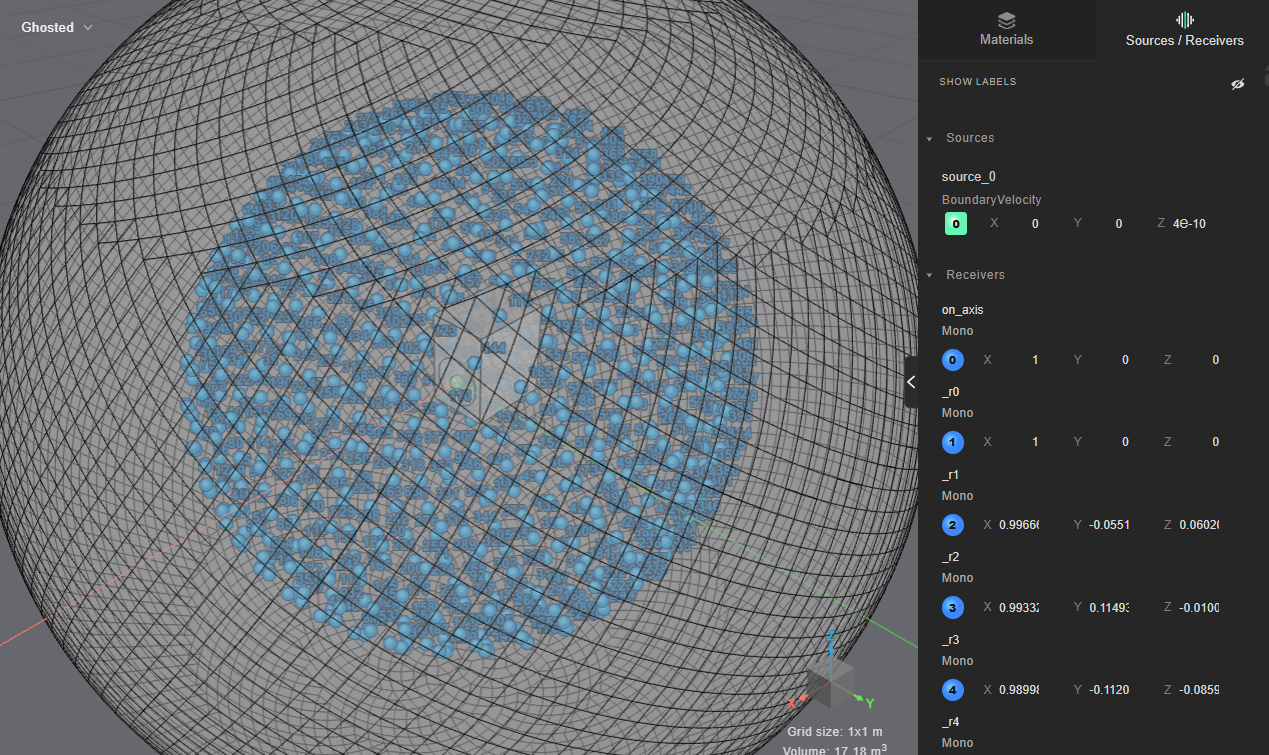
Plot the simulation definitions to verify the setup:
for sim_def in ff_simulation_defs:
    sim_def.plot()
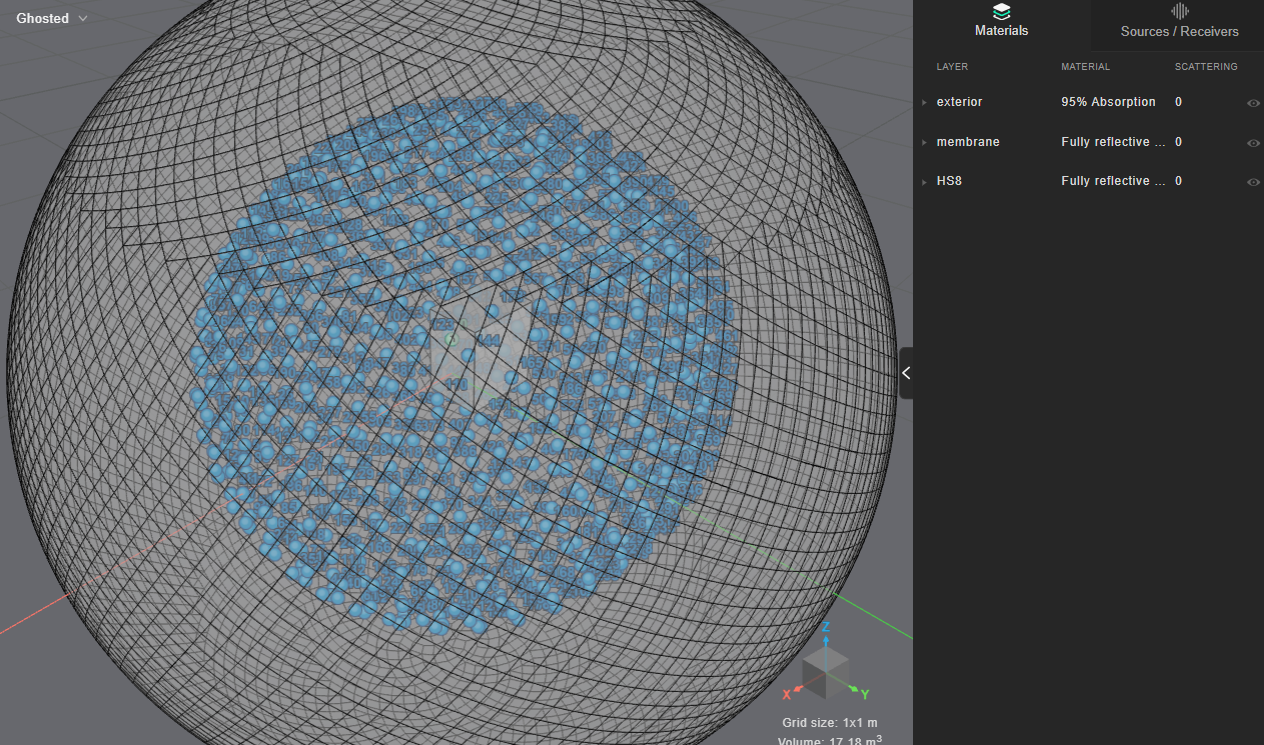
Add both simulations, wait for the estimate, then start:
simulations = [
    project.get_simulation_by_name(sim_def.name) for sim_def in ff_simulation_defs
]

if not all(simulations):
    simulations = project.add_simulations(ff_simulation_defs)

project.wait_for_estimate()
project.get_token_cost()

project.start_simulations()
project.as_live_progress()
Create boundary velocity submodels
Inspect the woofer directivity at 1000 Hz:
woofer_results = project.get_simulation_by_name("woofer-free-field").get_results_object()
woofer_results.plot_directivity_balloon(1000)
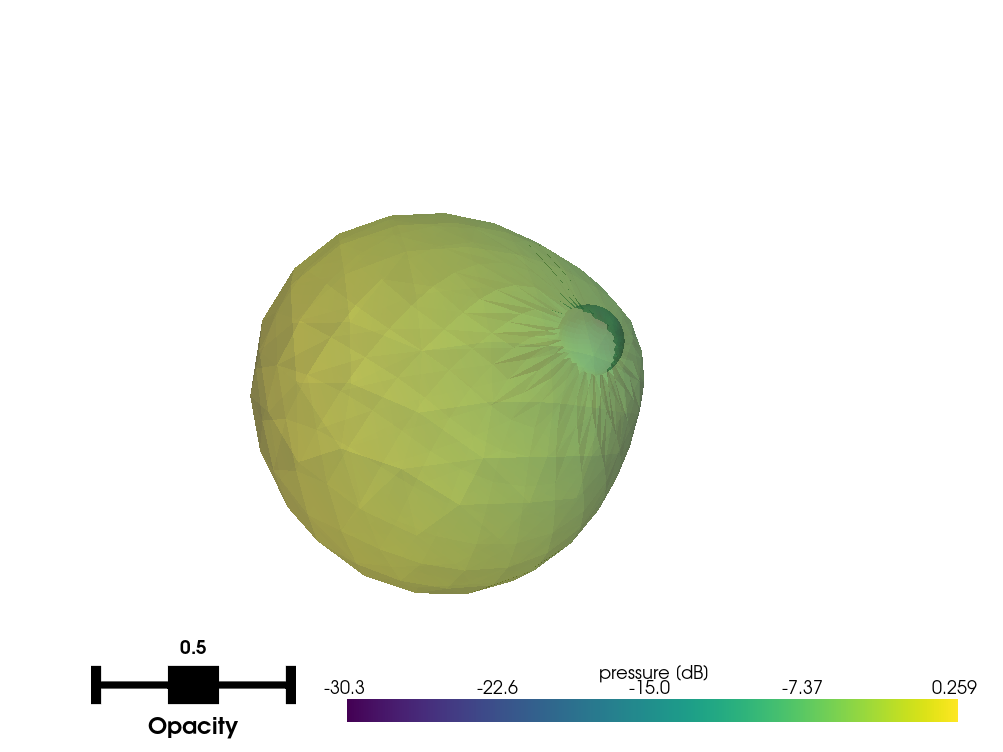
Once the directivity looks correct, store the woofer as a submodel:
if not tsdk.boundary_velocity_submodel_library.get_by_name("<speaker_name>-woofer"):
    woofer_results.create_boundary_velocity_submodel(
        source_name="<speaker_name>-woofer",
        source_description="Woofer, valid up to 2500 Hz",
    )
Repeat for the tweeter:
tweeter_results = project.get_simulation_by_name("tweeter-free-field").get_results_object()
tweeter_results.plot_directivity_balloon(1000)
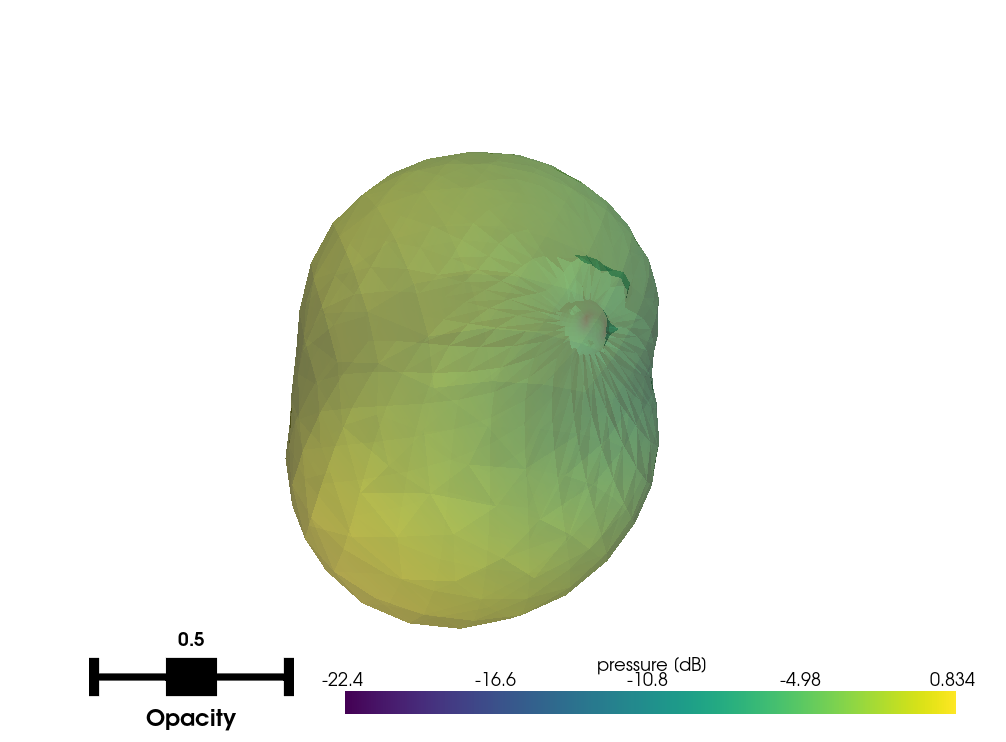
if not tsdk.boundary_velocity_submodel_library.get_by_name("<speaker_name>-tweeter"):
    tweeter_results.create_boundary_velocity_submodel(
        source_name="<speaker_name>-tweeter",
        source_description="Tweeter, valid up to 11000 Hz",
    )
Plot the stored submodels to verify geometry and directivity:
for source_name in ["<speaker_name>-woofer", "<speaker_name>-tweeter"]:
    submodel = tsdk.boundary_velocity_submodel_library.get_by_name(source_name)
    submodel.plot_geometry()
    submodel.plot()
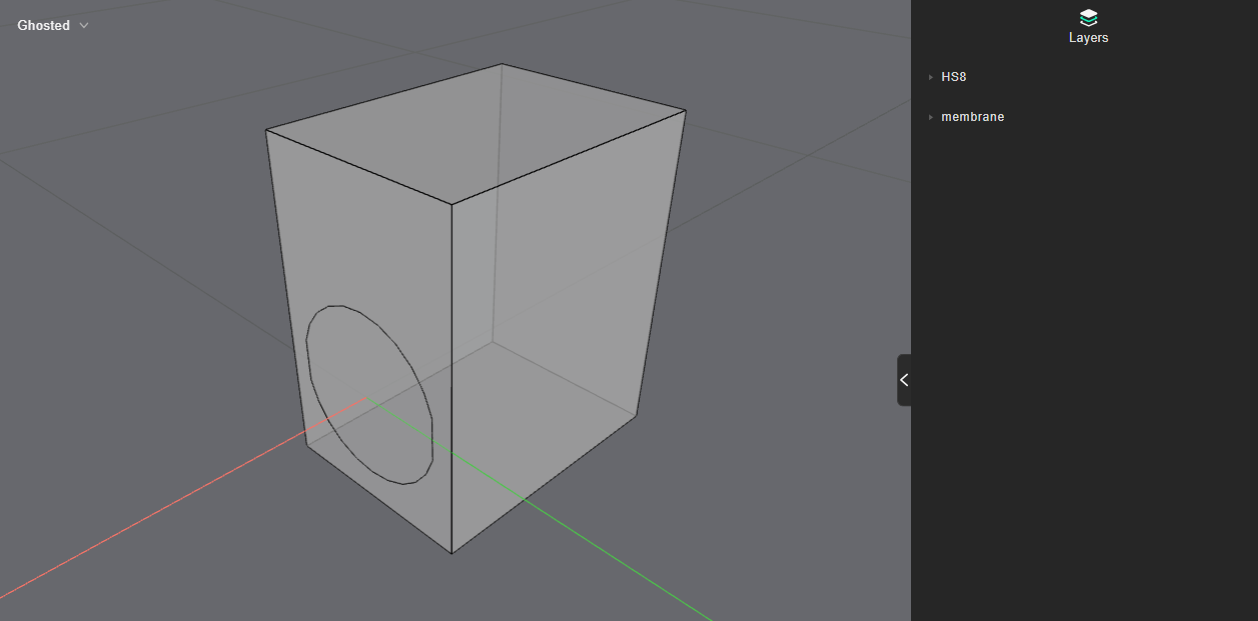
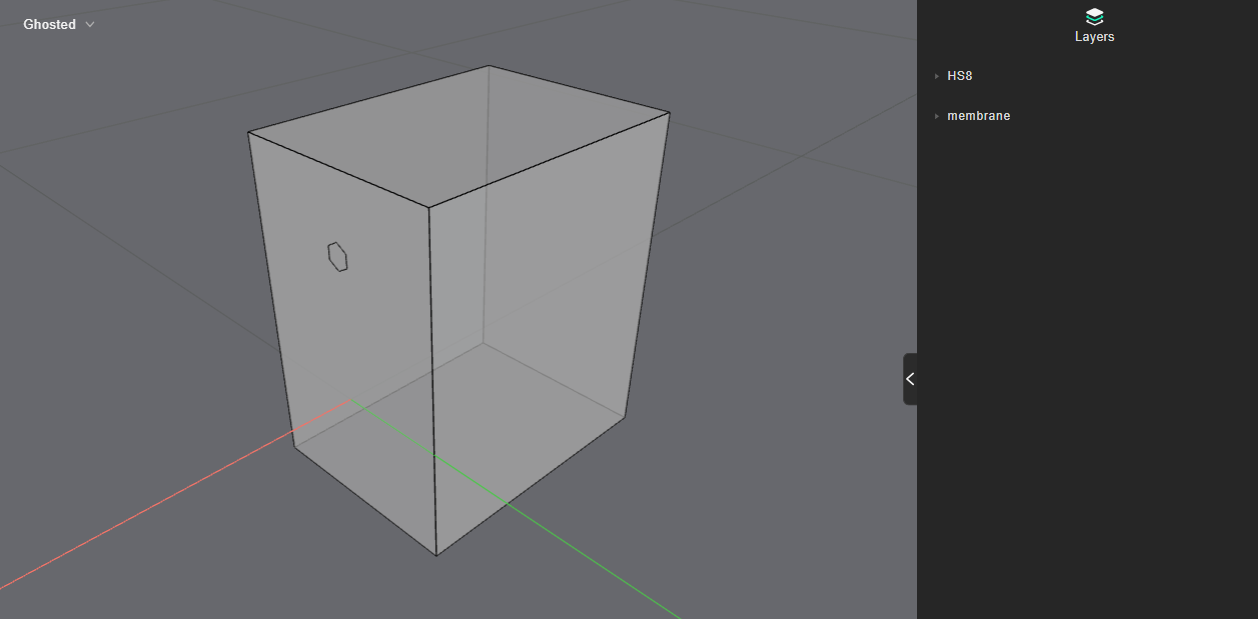
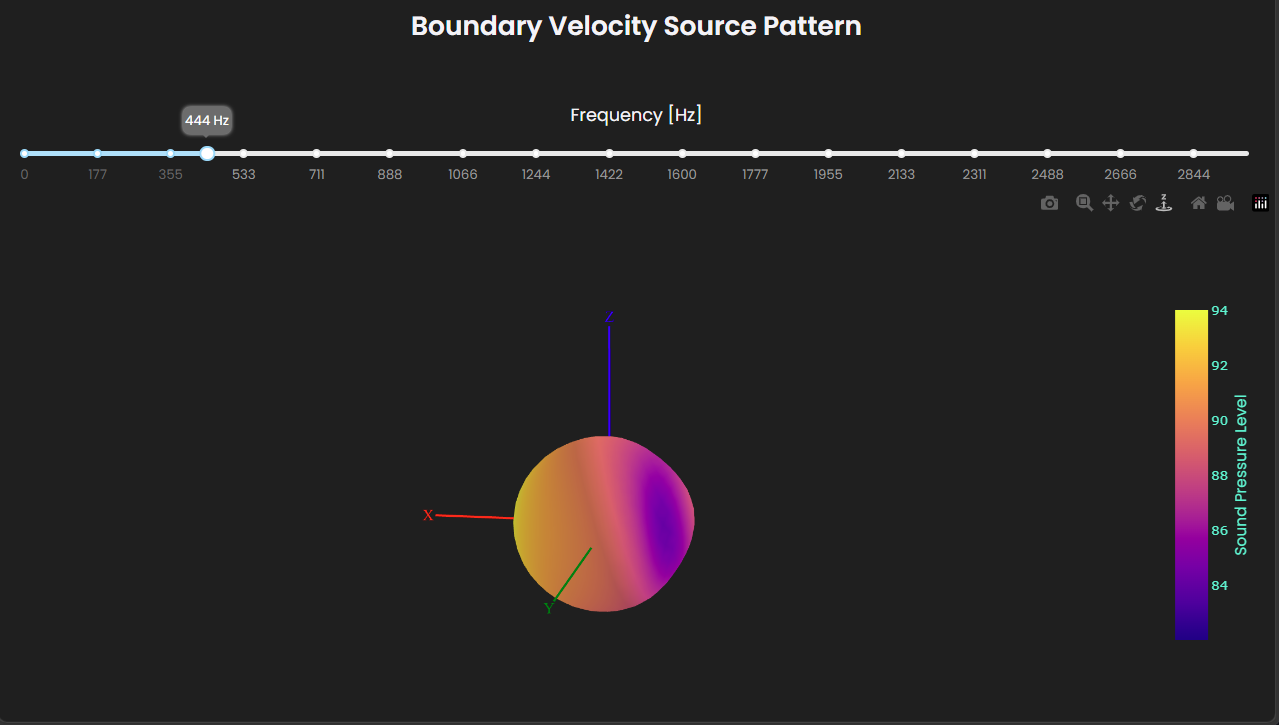
The geometry plots show the device layers used in the free-field simulation. The directivity plot shows the radiation pattern across the simulated frequency range (use the frequency slider to inspect different bands).
Set up room simulation
Create a room, define receiver positions, and assign materials:
room_definition = treble.GeometryDefinitionGenerator.create_shoebox_room(5.0, 4.0, 2.7)

room_model = project.get_model_by_name("room") or project.add_model("room", room_definition)

receiver_list = [
    treble.Receiver.make_mono(
        location=treble.Point3d(2.0, 2.0, 1.2),
        label="listening-position",
    )
]

# Manual material assignment
material_map = {
    'shoebox_walls': '13 mm Gypsum/Plaster board on frame, 100 mm mineral wool behind',
    'shoebox_ceiling': 'Microperforated panel, 6% open, 30 mm 81 kg/m3 absorber, 100 mm cavity',
    'shoebox_floor': 'Carpet tiles',
}

# Create material assignments for each layer
material_assignment = [
    treble.MaterialAssignment(layer, tsdk.material_library.get_by_name(material_name))
    for layer, material_name in material_map.items()
]
Place one source per driver at the same location and orientation:
woofer = tsdk.boundary_velocity_submodel_library.get_by_name("<speaker_name>-woofer")
tweeter = tsdk.boundary_velocity_submodel_library.get_by_name("<speaker_name>-tweeter")

speaker_position = treble.Point3d(1.0, 2.0, 0.9)
speaker_orientation = treble.Rotation(azimuth=0)

source_list_woofer = [
    treble.Source.make_boundary_velocity_submodel(
        location=speaker_position,
        orientation=speaker_orientation,
        boundary_velocity_submodel=woofer,
        label="woofer",
    )
]

source_list_tweeter = [
    treble.Source.make_boundary_velocity_submodel(
        location=speaker_position,
        orientation=speaker_orientation,
        boundary_velocity_submodel=tweeter,
        label="tweeter",
    )
]
Run room simulations
The two drivers use different solver types. The woofer uses the wave-based discontinuous Galerkin (DG) solver to capture low-frequency diffraction and modal behavior inside the room. The tweeter uses the geometrical acoustics (GA) solver. At high frequencies the wavelengths are short relative to the enclosure, so GA is both accurate and computationally efficient. Mixing the two solvers costs less than running everything wave-based, and it stays accurate.
See Loudspeaker modeling using boundary-velocity submodels for a detailed comparison of fully wave-based and hybrid simulations against measured data.
Define a separate simulation per driver:
room_sim_defs = [
    treble.SimulationDefinition(
        name="room-woofer",
        model=room_model,
        receiver_list=receiver_list,
        source_list=source_list_woofer,
        crossover_frequency=2_500,
        ir_length=1.0,
        material_assignment=material_assignment,
        simulation_type=treble.SimulationType.wave_based,
    ),
    treble.SimulationDefinition(
        name="room-tweeter",
        model=room_model,
        receiver_list=receiver_list,
        source_list=source_list_tweeter,
        crossover_frequency=11_000,
        ir_length=1.0,
        material_assignment=material_assignment,
        simulation_type=treble.SimulationType.ga,
    ),
]
Add both simulations and wait for the cost estimate:
room_simulations = [
    project.get_simulation_by_name(sim_def.name) for sim_def in room_sim_defs
]

if not all(room_simulations):
    room_simulations = project.add_simulations(room_sim_defs)

project.wait_for_estimate()
project.get_token_cost()
Verify the simulation definitions before starting:
for sim_def in room_sim_defs:
    sim_def.plot()
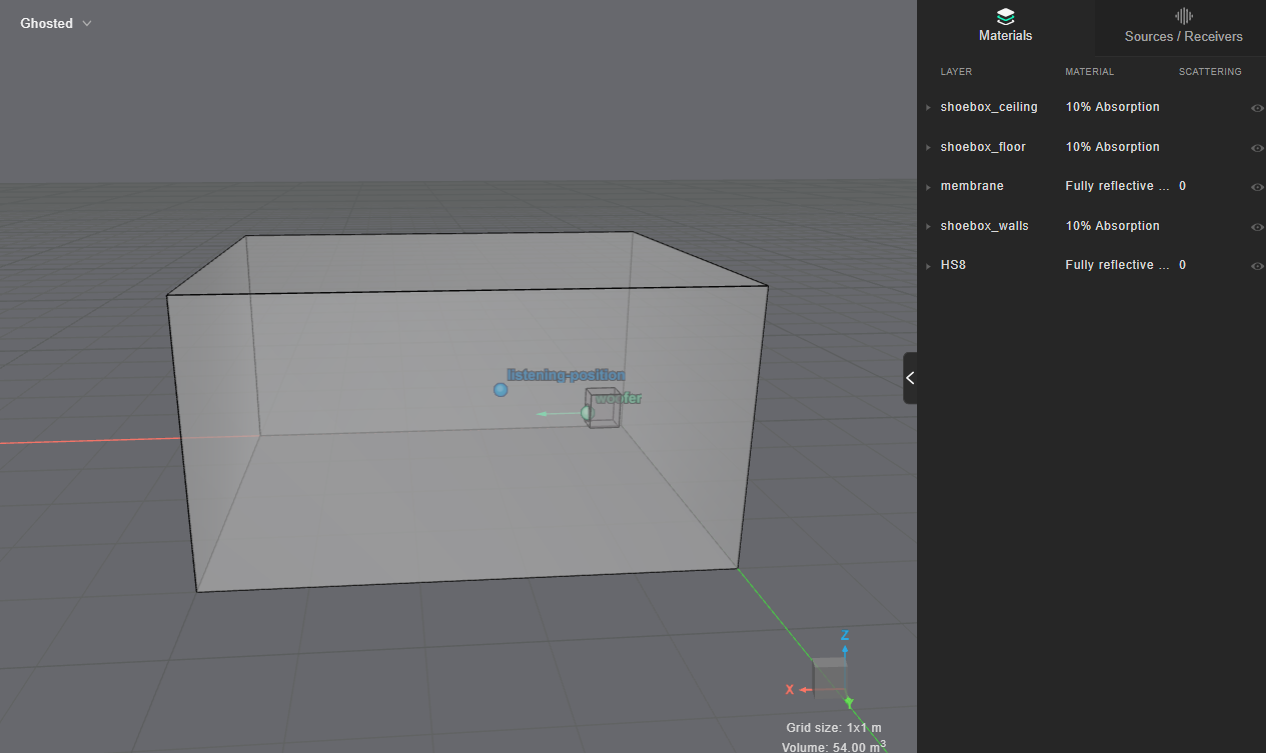
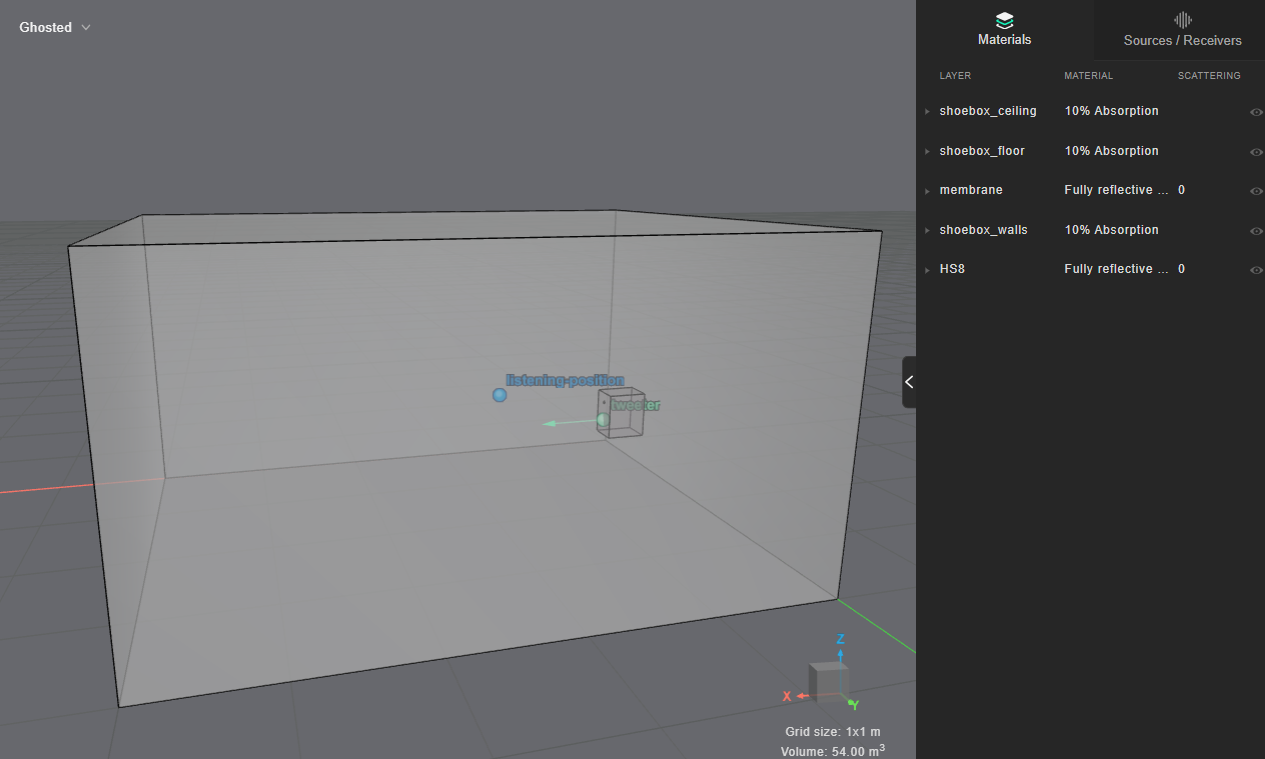
Start both simulations and wait for them to finish:
project.start_simulations()
project.as_live_progress()
Combine with crossover filtering
Fetch results from both room simulations:
woofer_simulation = project.get_simulation_by_name("room-woofer")
tweeter_simulation = project.get_simulation_by_name("room-tweeter")

woofer_room_results = woofer_simulation.get_results_object()
tweeter_room_results = tweeter_simulation.get_results_object()
Define a Butterworth crossover at the handover frequency:
crossover_frequency = 2000

lp_filter = treble.ButterworthFilter(lp_order=4, lp_frequency=crossover_frequency)
hp_filter = treble.ButterworthFilter(hp_order=4, hp_frequency=crossover_frequency)
Apply the filters and sum the IRs. The combined IR represents the full-range response, with each driver contributing only its intended frequency band:
woofer_ir = woofer_room_results.get_mono_ir(
    woofer_simulation.sources[0], woofer_simulation.receivers[0]
).filter([lp_filter])
tweeter_ir = tweeter_room_results.get_mono_ir(
    tweeter_simulation.sources[0], tweeter_simulation.receivers[0]
).filter([hp_filter])

# Sum impulse responses
combined_ir = woofer_ir + tweeter_ir
Compare the individual driver responses after crossover filtering with the combined result:
woofer_ir.plot(
    comparison={"tweeter": tweeter_ir, "combined": combined_ir}, label="woofer"
)